 perk
perkFocus blocks with breaks you actually take.
The timer rings, you hit dismiss, and three hours later your neck hurts. Perk is a focus timer for Chrome that ends every block with one short stretch and a glass of water, in a tab you can't miss.
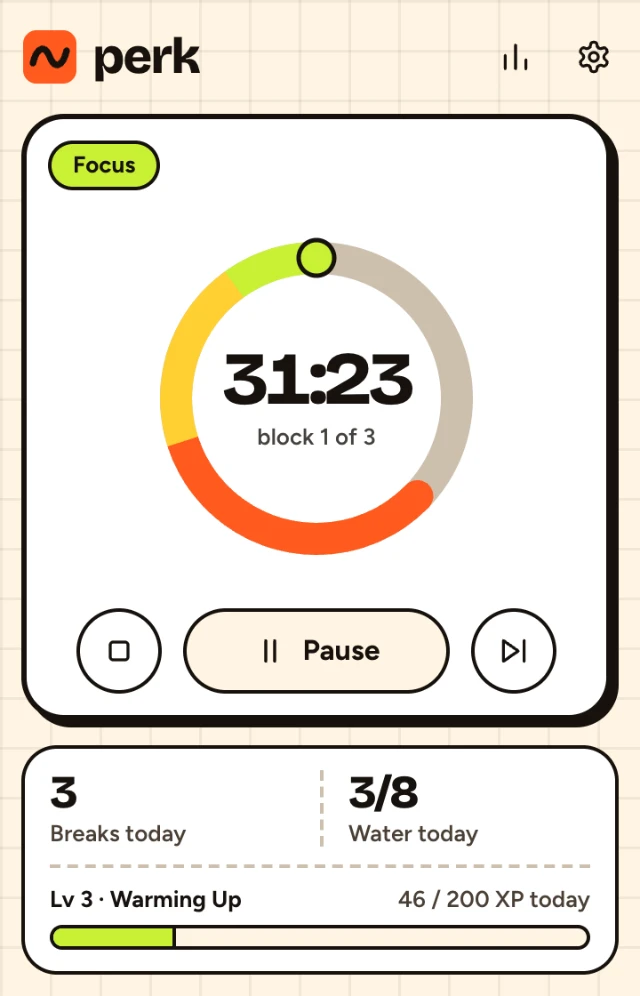
One block, start to finish
This is the Long rhythm: 50 minutes of work, 10 off. Short is 25 and 5, or you set your own.
-
00:00 you press Start
Start a block and forget about it
The ring runs down in the popup, and the minutes left sit on the toolbar icon, so you never have to open anything to check.
Every third block ends in a longer break.
The minutes left, always on the toolbar. Click the icon and the popup shows the rest.
-
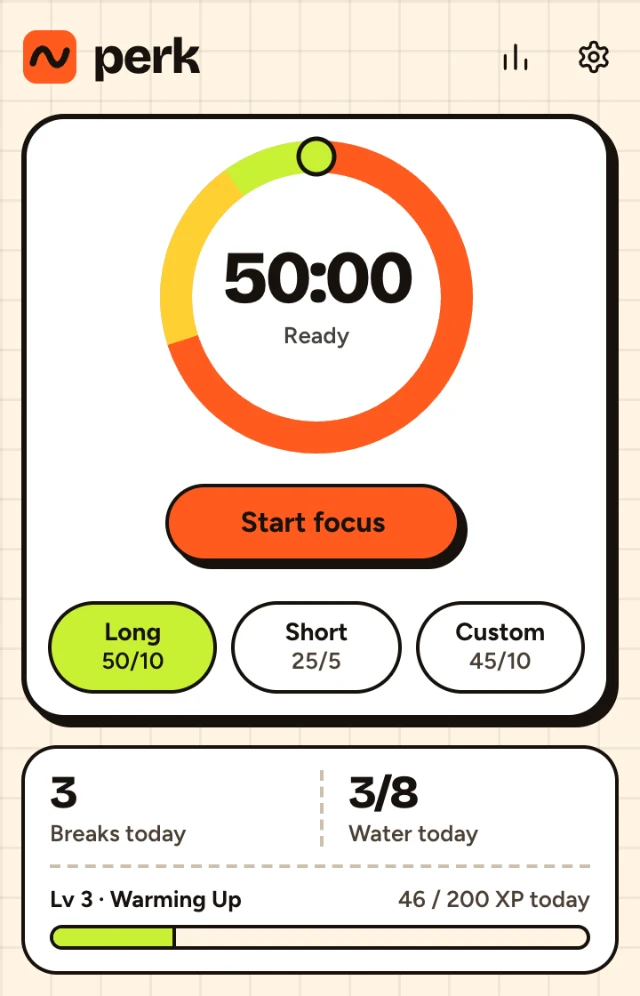
48:00 two minutes to go
A heads-up, so you can finish the sentence
You get a notification, and the popup shows which stretch is coming. Save the file, send the message.
Properly mid-thought? Snooze buys five more minutes. You get two by default, not an endless supply.
-
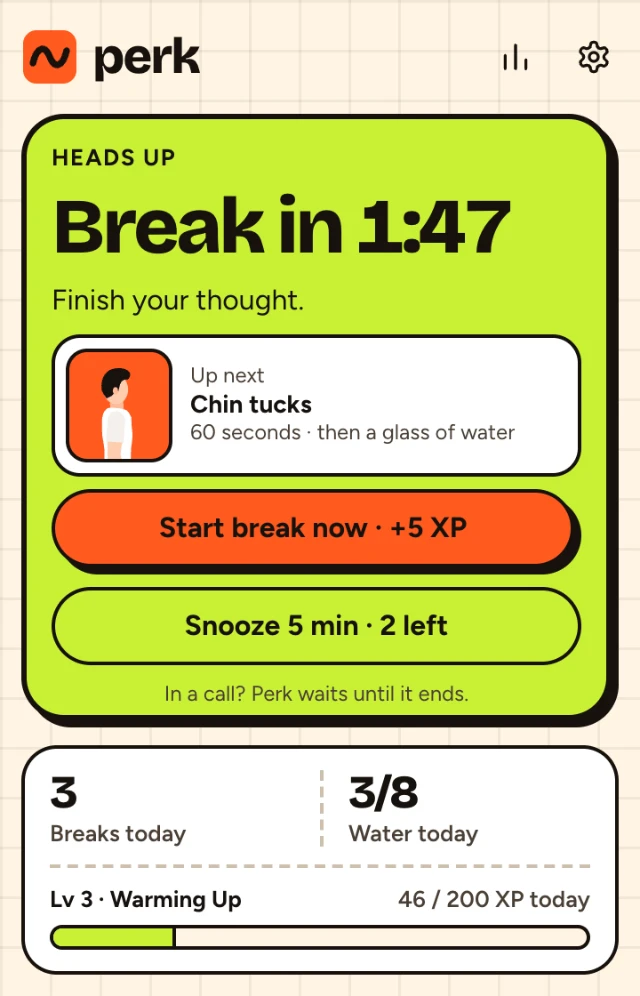
50:00 the break
The break opens in its own tab
One stretch, shown by a figure doing it, with the steps written out beside. Follow along, tap for the glass of water you drank, press Done. Push-ups and squats get a rep counter.
-
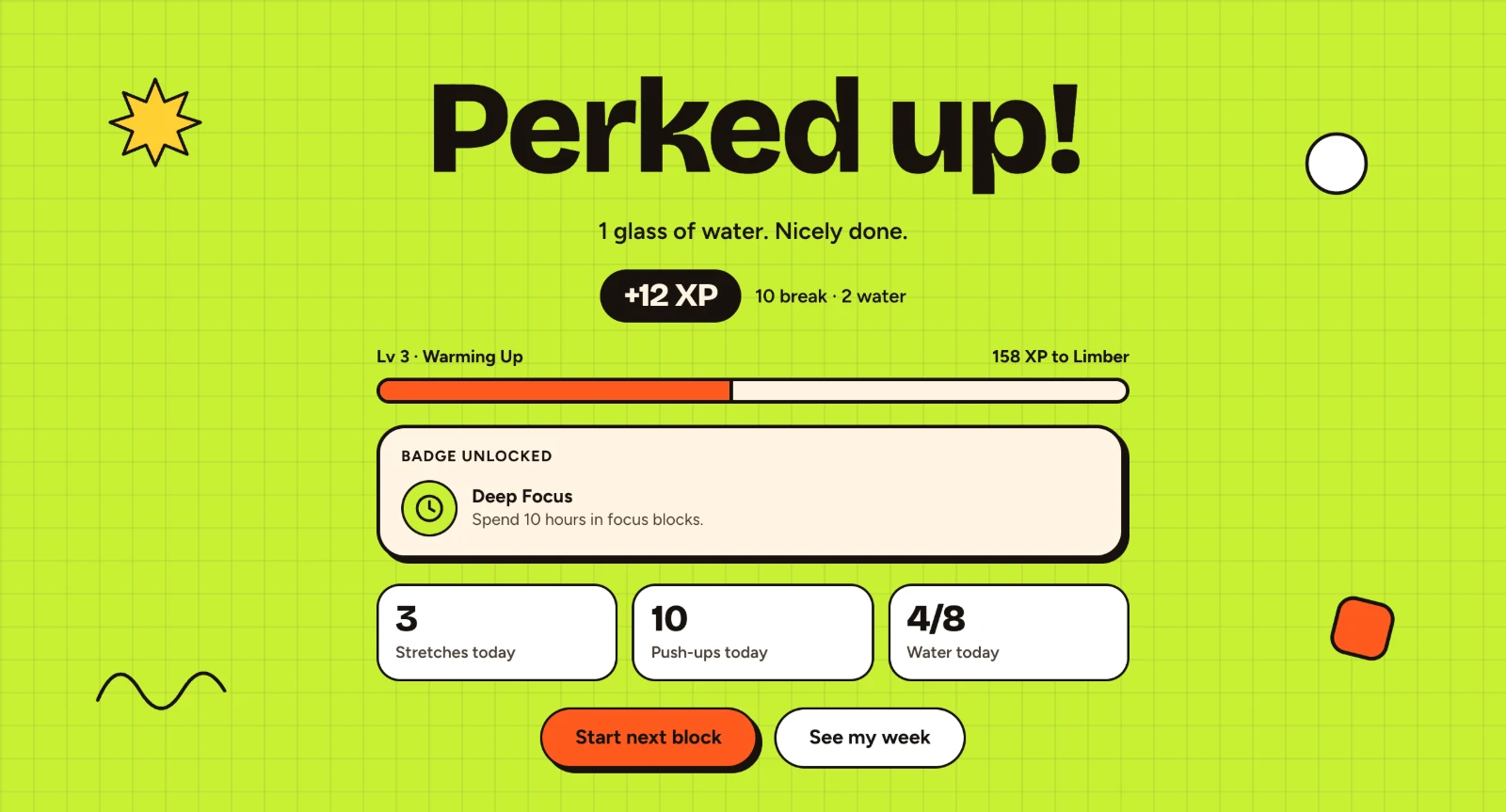
60:00 back to it
Done. That one counted.
A break you take earns XP; a break you skip earns nothing. There are levels to climb and 24 badges, for things like ten hours spent in focus blocks.
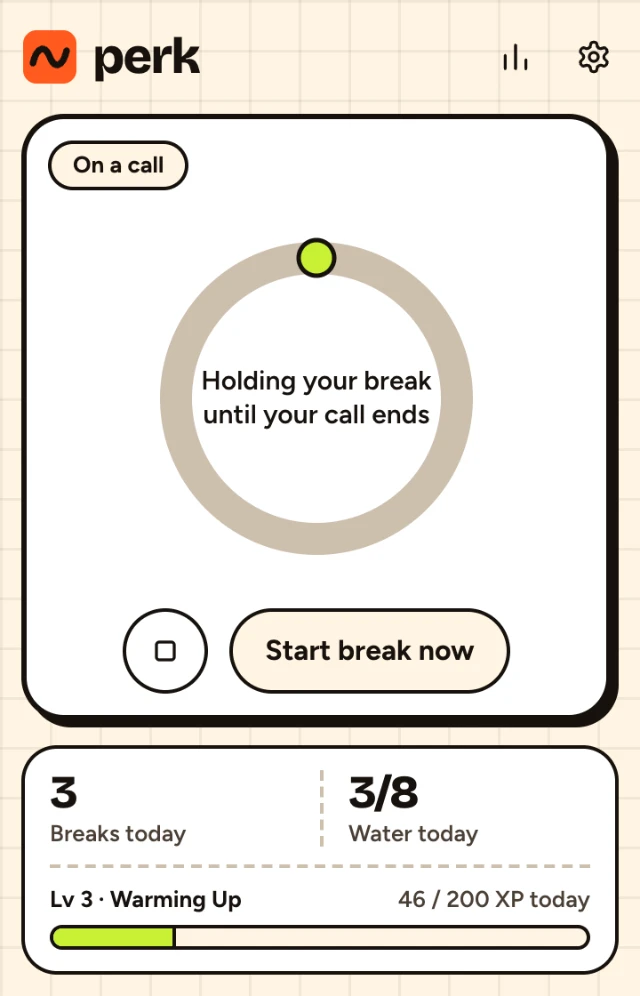
It knows when to keep quiet
- You're on a call
- On Google Meet, Zoom or Teams in Chrome, the break waits until you hang up.
- Something is fullscreen
- The break waits until you leave fullscreen, so a lecture or your slides are never interrupted. The block itself carries on as normal.
- You're in another app
- Perk doesn't pull Chrome in front of what you're doing. It chimes, sends a notification and keeps the break waiting in a tab.
- You walked away
- Got up for coffee mid-block? Time away from the computer counts as your break.
- The day is over
- Set your work hours and Perk says nothing outside them.
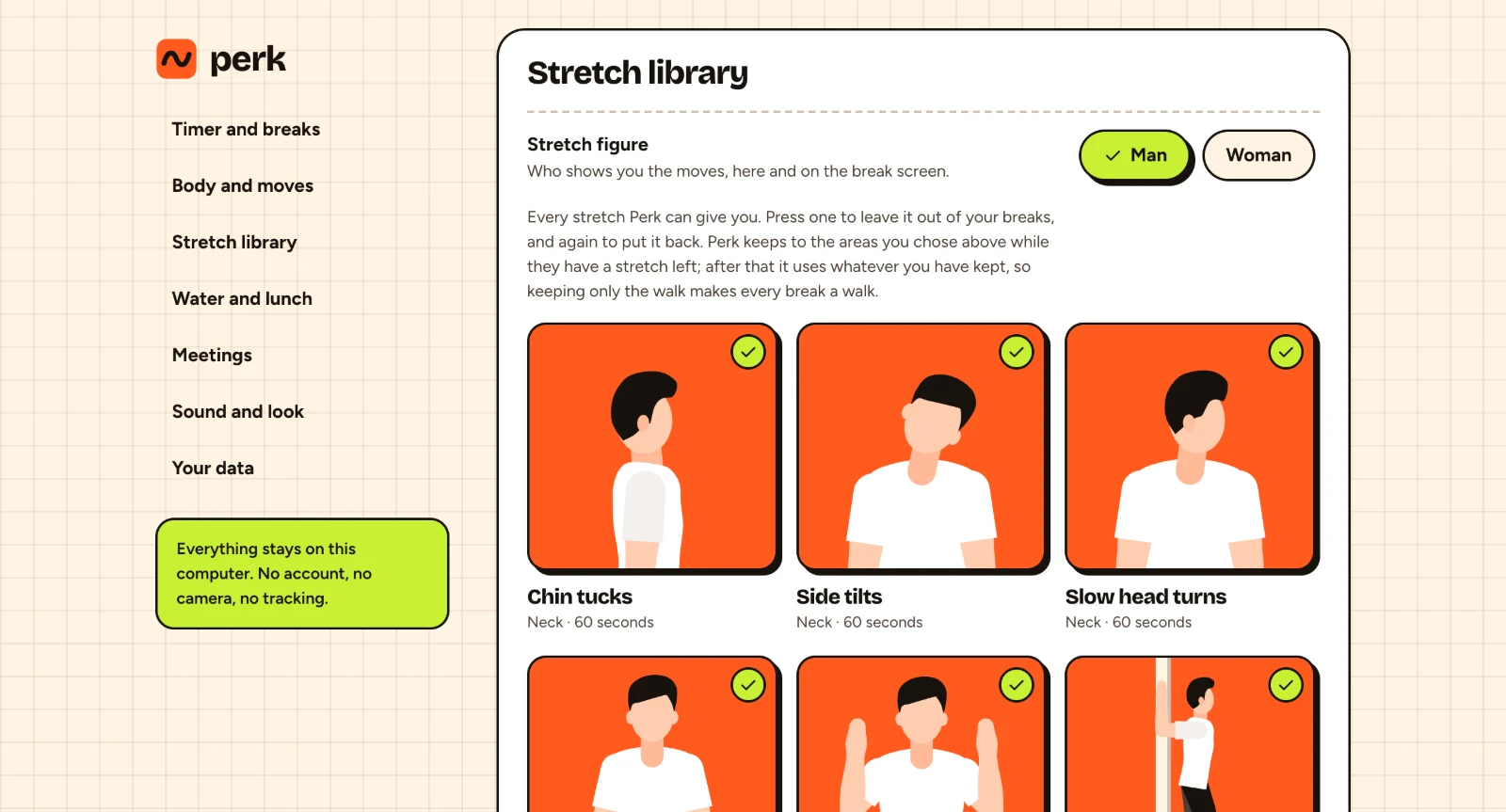
16 stretches. Keep the ones you like.
Neck, shoulders, back, wrists, eyes and hips, and most take a minute or less. Push-ups, squats and a walk are in there too if you want more than a stretch.
Pick a man or a woman to show the moves, and switch off any stretch you'd rather not get. Keep only the walk and every break is a walk.
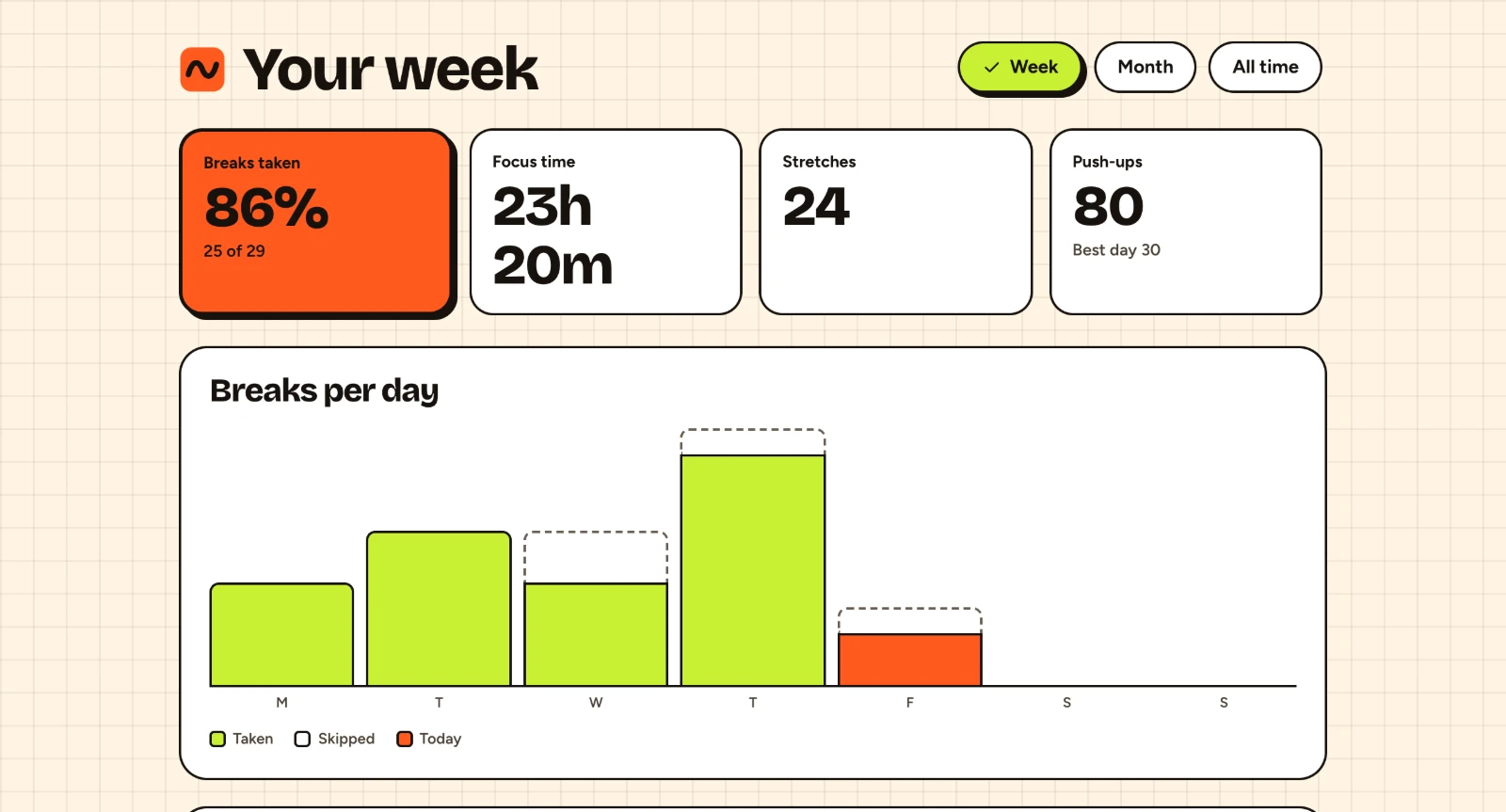
See how the week went
Breaks taken and skipped for each day, focus time, and which parts of you got stretched. Save it as an image if you want to show someone.
Your history stays on your computer
Your settings and break history sit in Chrome on your computer, and go when you remove the extension. Perk sends only anonymous usage stats, which parts of Perk get used, so it can get better. You can switch them off in settings.
- 0 accounts
- 0 ads
- 0 pages read
When you install Perk, Chrome lists what it is allowed to do. This is what each one is for.
- Store data on your computer
- Your settings, the running timer and your break history have to survive closing the browser.
- Set alarms
- So a block ends on time even when Chrome has put the extension to sleep.
- Show notifications
- The two-minute heads-up, a break that is waiting while you are in another app, and the lunch and eye-rest reminders if you turn them on.
- Know when the computer is idle or locked
- So time away counts as the break, and you aren't handed one the moment you sit back down.
- Play a sound
- The short chime when a break starts.
- See Meet, Zoom and Teams tabs
- Only whether one of them is playing sound, which means you're on a call. Perk reads nothing on the page and nothing you say or type.